
How to Start a Lo-Fi YouTube Channel from Scratch

Lo-fi music channels are one of the most reliable content models on YouTube. They attract long watch sessions, build loyal audiences, and generate steady revenue with relatively low effort per video once you have a system in place. The catch has always been that "system" part. This guide covers exactly how to build one from zero, whether you produce music yourself or use AI tools to handle it.
Why Lo-Fi Still Works in 2026
Every year someone declares lo-fi dead. Every year the numbers prove otherwise. Here is why:
- Watch time is enormous. A single lo-fi mix can average 15-45 minutes of watch time per viewer. YouTube's algorithm loves this.
- The audience is global. Lo-fi is language-independent. Your potential audience is everyone with headphones.
- Content is evergreen. A lo-fi mix uploaded two years ago still gets recommended daily. Unlike commentary or news content, nothing expires.
- Competition is manageable. Yes, Lofi Girl exists. But there are thousands of successful mid-tier lo-fi channels because the audience is big enough for everyone.
What You Actually Need to Start
The Traditional Way
If you were starting a lo-fi channel five years ago, you would need:
- A DAW (Ableton, FL Studio, Logic Pro) - $100-$500
- Sample packs and virtual instruments - $50-$200
- Basic music theory knowledge
- 4-8 hours per track for production
- Video editing software for visuals
- Graphic design skills for thumbnails
Total startup cost: $200-$700 plus hundreds of hours learning production.
The AI-Powered Way
Today, you need:
- An AI music generation tool (Suno, Udio, or MusicFlowAI)
- A way to create visuals (Canva, AI image generators, or MusicFlowAI's built-in video creator)
- A YouTube account
Total startup cost: $0-$30/month depending on the tools you choose. No music production skills required.
This is not a shortcut that produces inferior content. Modern AI music generators create lo-fi tracks that are genuinely good. The quality ceiling is high enough that listeners cannot reliably tell the difference.
Step 1: Define Your Channel Identity
Before you generate a single track, decide on your channel's angle. "Lo-fi" alone is not specific enough. Successful channels differentiate through:
Mood/Setting:
- Lo-fi for studying
- Lo-fi for sleeping
- Lo-fi for rainy days
- Lo-fi for late-night coding
Visual Identity:
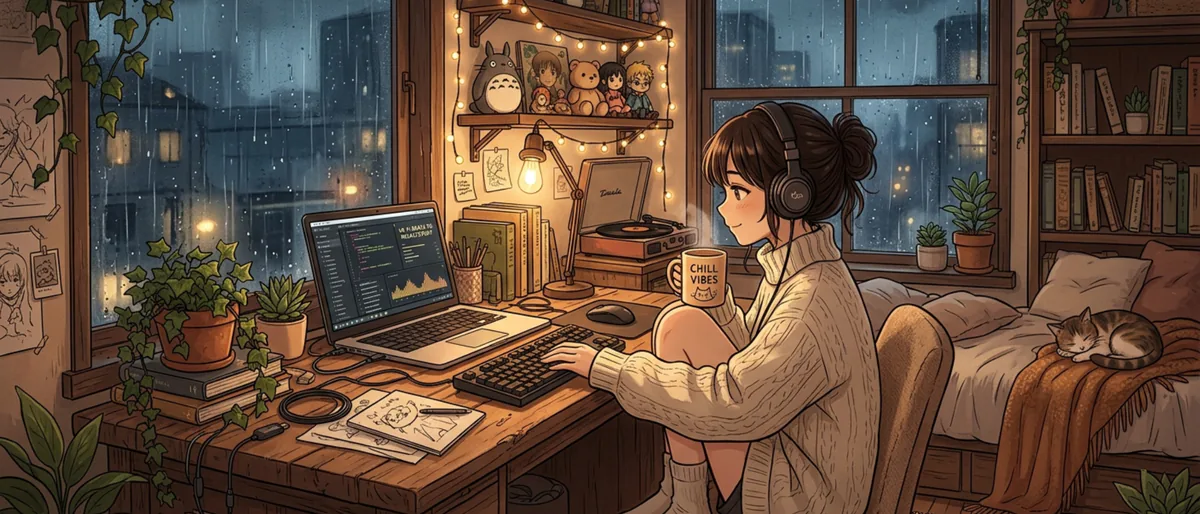
- Anime-inspired scenes (the classic approach)
- Cozy room animations
- Nature and cityscape loops
- Pixel art worlds
Audio Style:
- Jazz-influenced lo-fi
- Lo-fi with ambient textures
- Lo-fi with vinyl crackle and tape hiss
- Vocal-sample heavy lo-fi
Pick a combination that excites you. Your channel name, banner, profile picture, and every video should reinforce this identity consistently.
Step 2: Create Your First Batch of Tracks
Start with 10-15 tracks before you upload anything. This gives you a buffer and lets you refine your prompting or production process.
Using Suno or Udio Directly
These tools work well for individual track creation:
- Write a prompt describing the mood, tempo, and instruments (e.g., "mellow lo-fi hip hop beat, jazzy piano chords, vinyl crackle, slow tempo, relaxing study vibes")
- Generate several variations
- Pick the best ones and download
The limitation: you end up with individual tracks and still need to handle video creation, metadata, and uploading separately.
Using MusicFlowAI
MusicFlowAI connects the full pipeline. You set up a "producer" with your lo-fi style preferences as a system prompt, and it generates tracks that match your channel's sound consistently. The advantage over using Suno directly is that MusicFlowAI also handles video creation and YouTube publishing, so you are not stitching together five different tools.
Whichever approach you use, aim for tracks between 2-4 minutes each. You will combine these into longer mixes later.
Step 3: Build Your Video Format
Lo-fi videos follow a few proven formats:
The Long Mix (30-120 minutes)
Combine 10-30 tracks into a continuous mix with a single looping visual. This format earns the most ad revenue because of extreme watch time. Add a simple track list in the description.
The Single Track (2-5 minutes)
Upload individual tracks with unique artwork. These are easier to produce and help with YouTube SEO since each video targets specific keywords. Good for building your catalog quickly.
The Live Stream
Run a 24/7 lo-fi live stream with a rotating playlist. This builds community and watch hours fast, but requires technical setup (OBS, a dedicated machine, or a streaming service).
Recommended starting strategy: Upload 3-4 single tracks per week plus one long mix per week. This gives you both catalog depth and watch-time-heavy content.
Step 4: Thumbnails That Work
Lo-fi thumbnails follow a distinctive aesthetic. Here is what performs well:
- Warm, muted color palettes. Think sunset oranges, dusty purples, soft blues
- A central illustrated scene. A character at a desk, a cozy room, a rainy window
- Minimal text. Maybe the mix name in a clean font. No clickbait arrows or shocked faces
- Consistent style. Every thumbnail should look like it belongs to the same channel
You can create these using AI image generators (Midjourney, DALL-E, or the image generation built into MusicFlowAI) and then add text overlays in Canva or Figma.
Step 5: YouTube SEO for Lo-Fi Channels
This is where many new channels fail. Great music with terrible SEO gets zero views.
Title formulas that work:
- "Lo-Fi Hip Hop Mix - Beats to Study/Relax To"
- "3 Hours of Chill Lo-Fi Music for Focus"
- "Rainy Day Lo-Fi | Jazz Hop Beats"
- "[Mood] Lo-Fi Playlist | [Duration] of [Activity] Music"
Description best practices:
- First 2-3 lines should contain your main keywords naturally
- Include a full tracklist with timestamps
- Add links to your other mixes
- Include relevant hashtags: #lofi #studymusic #chillbeats
Tags to use:
- "lofi hip hop"
- "study music"
- "chill beats"
- "lo-fi mix"
- Plus niche-specific tags for your particular style
Step 6: Upload Schedule and Consistency
Consistency matters more than perfection. Here is a sustainable schedule:
- Minimum viable: 2 videos per week
- Growth mode: 4-5 videos per week
- Aggressive: Daily uploads plus 1-2 long mixes per week
The manual approach makes anything above 3 videos per week exhausting for a solo creator. Each video requires music selection or creation, visual creation, metadata writing, thumbnail design, and uploading.
With MusicFlowAI, you can set up generation plans that automatically create and publish content on a schedule. The platform handles music generation, video assembly, and YouTube uploading, which means maintaining a daily upload schedule becomes realistic without burning out.
Step 7: Growing Your Audience
Once you are uploading consistently:
- Engage with the lo-fi community. Comment on other channels, join lo-fi Discord servers, collaborate on playlists
- Create playlists on your channel. Group by mood, activity, or time of day
- Use Community posts. Poll your audience on what moods or styles they want next
- Cross-promote on Spotify. Upload your best tracks to streaming platforms for additional reach and revenue
- Respond to every comment in your first few months. Early community building pays dividends
The Manual vs. Automated Comparison
| Task | Manual (per video) | With MusicFlowAI |
|---|---|---|
| Music creation | 2-8 hours | Automated |
| Video creation | 30-60 min | Automated |
| Metadata & SEO | 15-30 min | AI-generated |
| Upload & scheduling | 10-15 min | Automated |
| Total per video | 3-10 hours | Review & approve |
The automated approach does not remove you from the process. You still pick the styles, review the output, and guide the channel's direction. It just removes the repetitive production work that burns people out by month two.
Conclusion
Starting a lo-fi YouTube channel has never been more accessible. The audience is massive, the content format is proven, and AI tools have eliminated the biggest barrier to entry: music production skills.
Whether you go the manual route or use MusicFlowAI to automate the pipeline, the key is to start uploading consistently and let the catalog compound. Every track you publish is an asset that keeps earning views months and years after upload. The best time to start was last year. The second best time is today.